


The UWF Writing Lab
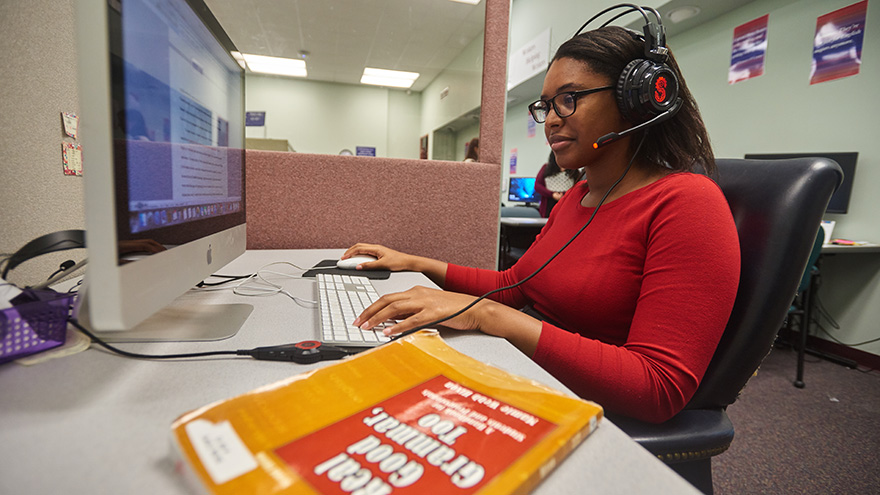
Welcome to UWF's Writing Lab. The Writing Lab can help. Writing Lab assistants are available to review the mechanics of writing with you and help you upgrade the quality of your papers before you submit them to your professors.
About Us: Writers Helping Writers Write Better
Welcome to UWF's Writing Lab.
Need help writing a paper? Having trouble using commas and semicolons, choosing the right pronoun, or making your subjects and verbs agree?
The Writing Lab can help. Writing Lab assistants are available to review the mechanics of writing with you and help you upgrade the quality of your papers before you submit them to your professors. Face-to-face paper readers, online-interactive paper readers, and OWL (Online Writing Lab) readers are available to help you with your papers from invention to completion. Paper readers won’t write your papers for you, but they will help you write them better.
The UWF Writing Lab is staffed with undergraduate and graduate paper readers and tutors who are trained to assist their fellow students with content, manuscript formatting, documentation style, and the conventions of writing (grammar, punctuation, spelling, etc.). As students themselves, paper readers and tutors know firsthand how hard it can be to consistently produce quality written work, but they also know how satisfying it can be to communicate ideas effectively.
The UWF Writing Lab is not just a writing lab; it is the Writing Lab at UWF!
Online Interactive Readings take place wherever you are! These synchronous readings are identical to our face-to-face service except that they are conducted at a distance via the internet rather than in person in the Writing Lab. A trained undergraduate or graduate paper reader will meet with you
in Zoom and discuss your paper with you.
A one-hour virtual appointment or virtual walk-in is available.
OWL readings take place in Canvas. These paper readings are neither synchronous nor interactive. All you have to do is submit your paper to a date-sensitive Canvas Assignment Box to be reviewed by an OWL staff member who returns electronic feedback, usually within two business days. Be sure to register for the OWL first by sending an email to writelab@uwf.edu.
A one-hour virtual appointment or virtual walk-in is available.
Thesis and dissertation readings can be either an Online Interactive Reading or an OWL Reading. A trained graduate assistant will check your thesis or dissertation for documentation style, grammar and mechanics, and format only.
A two-hour virtual appointment or virtual walk-in is available.
Virtual Appointment or Virtual Walk-in. Join our virtual classroom with other students and a student tutor who will lead an interactive editing skills workshop.
A one-hour appointment is available.
Take the 70-item diagnostic test in Canvas to determine what your writing strengths and weaknesses are. You must first register for the test by contacting us. This test is sometimes required by your instructor.
Email us or call us with your question(s) about the written or spoken word. Contact us at writelab@uwf.edu, 850.474.2129 or 850.474.2229.
Grammarcise
Does your grammar need to get in shape and experience a healthy change? Grammarcise with Grammar Fitness Coach Mamie Webb Hixon, your grammar fitness coach and director of the UWF Writing Lab. Hixon will help you boost your grammar skills to the next level. Join her every Monday for Grammarcise from 7:15 am to 7:45 am CST, on Zoom.
Topics we'll cover:
KNOCK OUT THOSE VERBS.
If I was OR If I were President . . .
I move that the meeting is adjourned OR be adjourned.
has brung or has brought
BOX THOSE VERBS.
Do OR Does either of you believe in UFO's?
Every passenger was OR were wearing a seatbelt
GET SOME WORD POWER: VERB THOSE NOUNS! OR SHOULD YOU?
Card me in please.
I have passworded the account.
I Googled the address.
TIGHTEN YOUR COMMA MUSCLES.
BALANCE YOURSELF WITH PARALLELISM.
RUN WITHOUT RUN-ON SENTENCES.
WORKOUT WITH THE RIGHT WORDS.
a OR an historic occasion
a OR an MBA degree
an alumni OR an alumna
FLEX YOUR APOSTROPHE MUSCLES.
bachelor's degree OR bachelors degree
boss's desk OR boss' desk
driver license OR drivers license
Join here!
Meeting ID: 841 4963 0560
Passcode: 021360
Questions: Contact Grammar Fitness Coach Mamie Webb Hixon at mhixon@uwf.edu or 850.474.2987.
Join Mamie Webb Hixon, your grammar fitness coach and director of the UWF Writing Lab, every Monday for Grammarcise from 7:15 am to 7:45 am CST, on Zoom.